
Policies
A policy is a named allowlist that tells matching proxies which hosts, paths, and methods they can reach. Policies are authored in the control plane UI and delivered to every proxy whose tags match the policy's match set. Changes propagate within seconds of saving, without restarts.
Proxies are default-deny. Anything not covered by an active, matching policy is rejected.
Create a Policy
Fill Out Policy Metadata
In the control plane UI, open the Policies tab and click Add Policy.
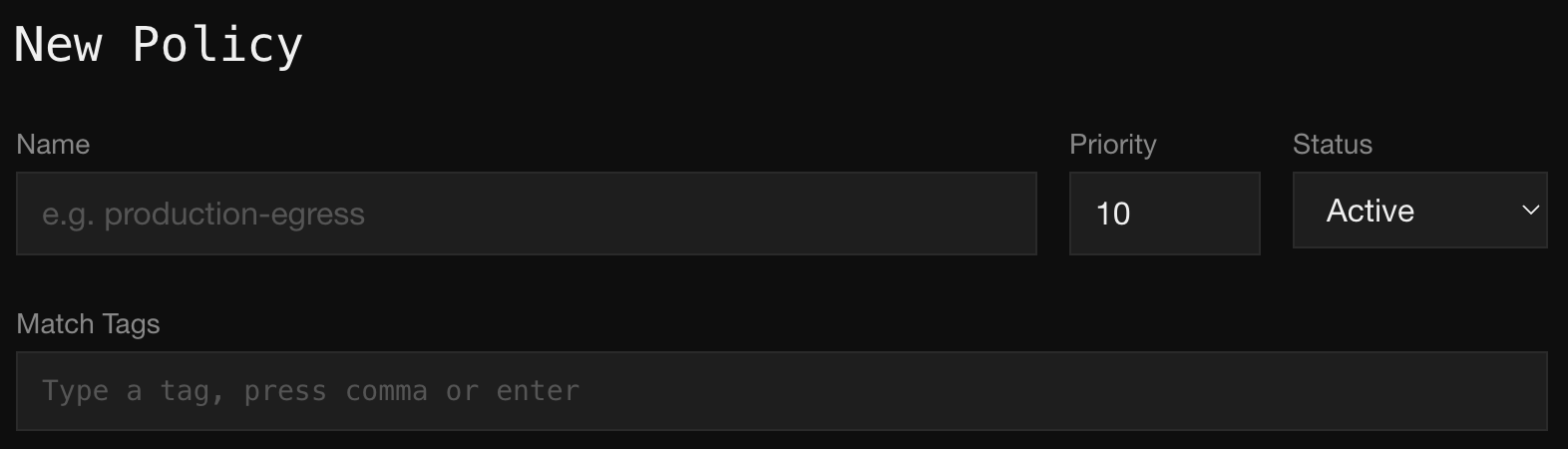
Fill in:
- Name. A human-readable identifier like
production-egressorci-npm. - Priority. An integer used to break ties when a single proxy matches more than one policy. Lower numbers win. Defaults to
10. - Status. Set to
Activeto apply the policy to matching proxies. Any other status is a no-op, so you can draft a policy in the UI and hold it until ready. - Match Tags. The tags a proxy must carry for the policy to apply to it. Type a tag and press comma or enter to add it. Leave empty to apply the policy to every proxy in the fleet.
Add Egress Rules
Each rule describes a class of requests the policy allows. Click Add Rule once per rule.
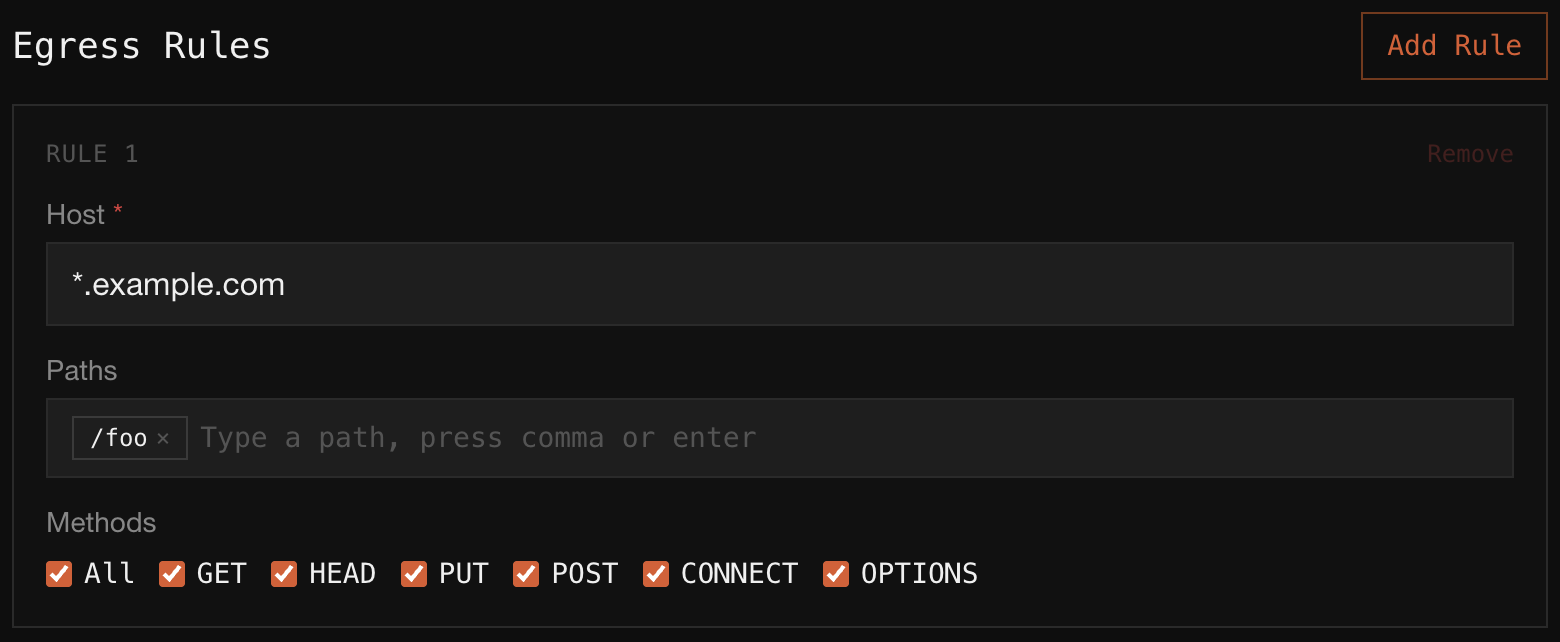
Each rule has:
- Host (required). A hostname or glob.
api.example.commatches that host exactly.*.example.commatches any subdomain. - Paths. Zero or more path patterns. Leave empty to allow any path on the host. Add multiple paths by pressing comma or enter between entries.
- Methods. The HTTP methods the rule accepts. Check All for every method, or pick a subset.
Rules inside a policy are OR-combined: a request is allowed if it matches any rule in the policy.
Save
Save the policy. Every connected proxy with a matching tag set applies the change within seconds. Denied requests show up in the audit trail immediately.
Add a Secret
Secrets let matching proxies inject or replace credentials at the network edge so the workload never sees the real value. Secrets are authored in the Secrets tab and are independent of policies: they have their own match-tag set and their own request rules, and apply to any proxy that matches, regardless of which policies that proxy carries.
Click Add Secret to start the four-step wizard.
Pick the Proxies
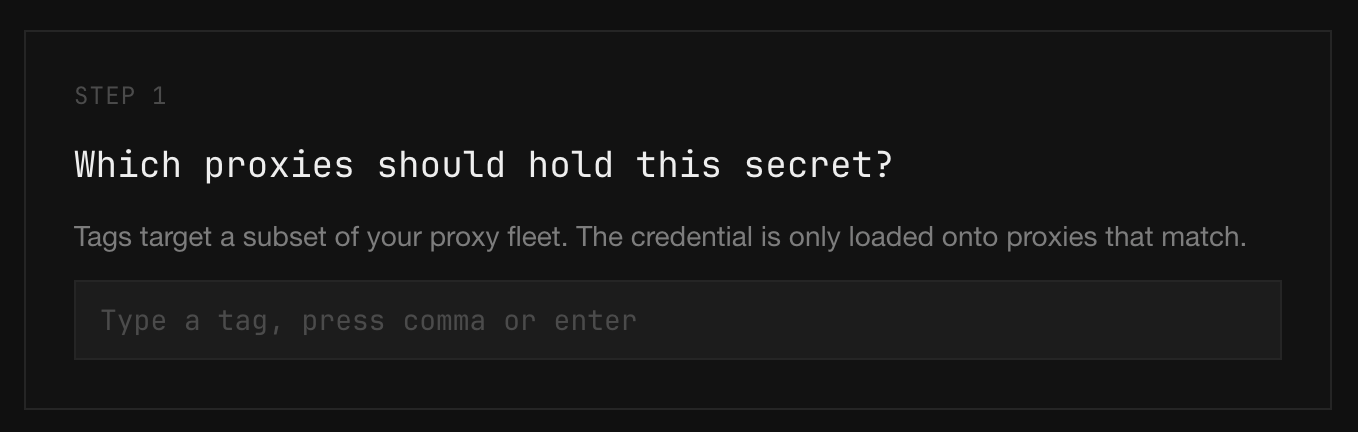
Type a tag and press comma or enter to add it. The credential is only loaded onto proxies that carry every tag in the set. Use the same tagging conventions you use for policy match tags: env:prod, tenant:acme-corp, service:checkout. Leave the field empty to load the secret onto every proxy in the fleet.
Pick the Requests
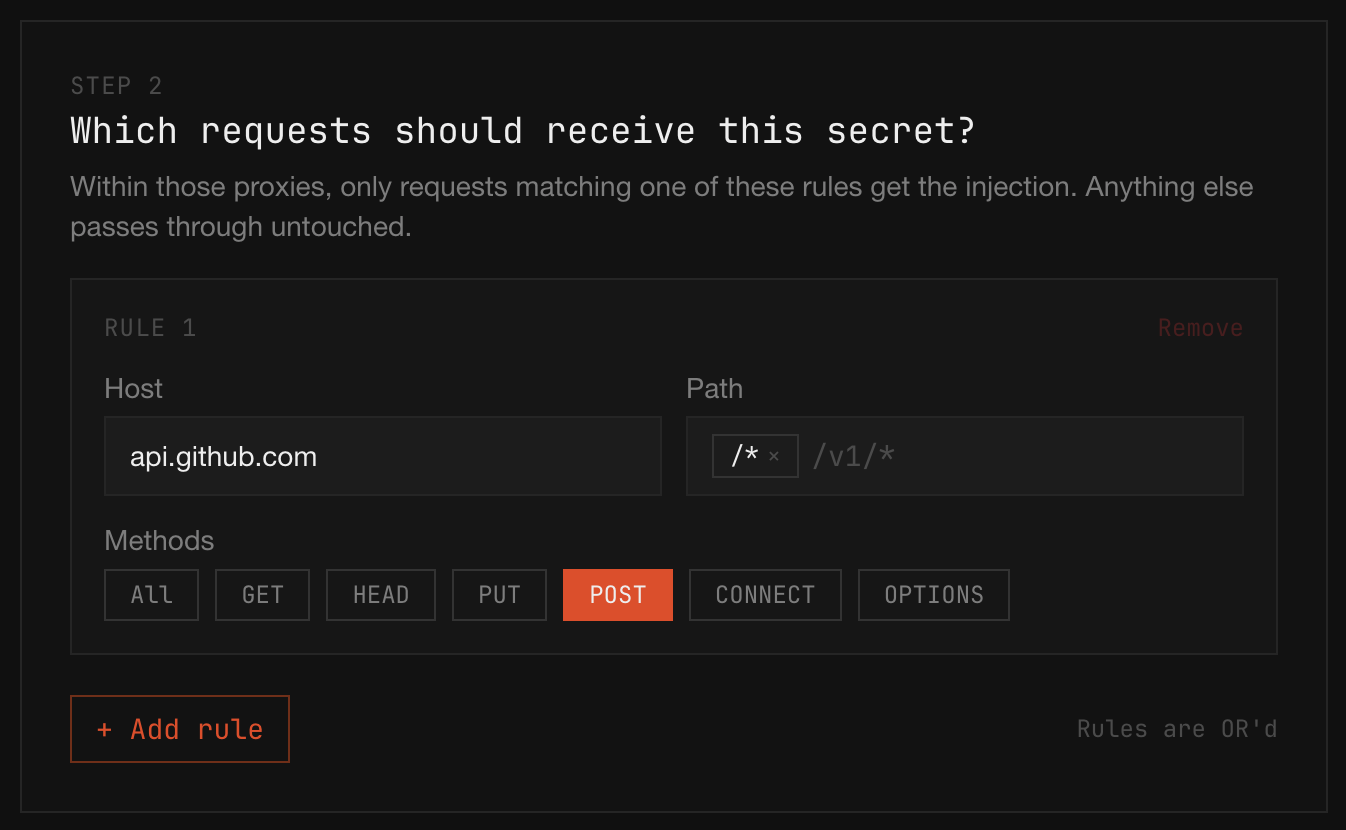
Within the matched proxies, only requests that match one of these rules get the credential. Anything else passes through untouched. Each rule has the same fields as an egress rule:
- Host. A hostname or glob, e.g.
api.openai.comor*.example.com. - Path. Zero or more path patterns; leave empty to apply to any path.
/*matches anything. - Methods. The HTTP methods the rule applies to.
ALLcovers every method.
Click + Add rule for additional rules. Rules are OR'd: a request matches if it matches any rule.
Always scope as narrowly as you can. The blast radius of a misconfigured secret is exactly the union of these rules.
Pick the Injection Style
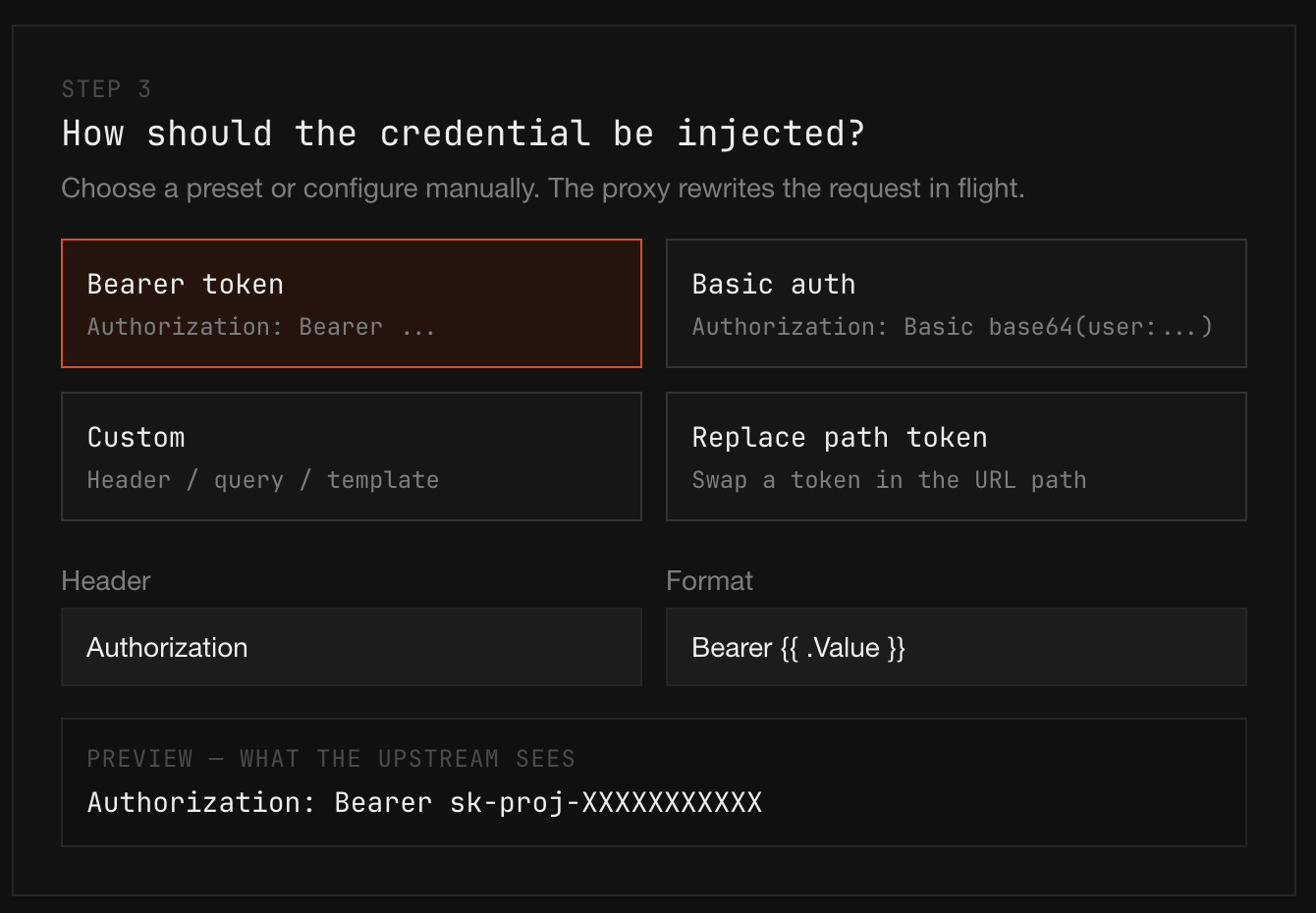
Choose how the proxy rewrites the request in flight. Four presets cover the common cases:
- Bearer token. Adds
Authorization: Bearer <value>. Standard for OpenAI, Anthropic, and most modern APIs. - Basic auth. Adds
Authorization: Basic base64(user:password). Use this for GitHub PAT auth and other Basic-auth services. - Custom. Inject into any header or query parameter, with a Go-template
Formatfield that has access to.Valueand abase64helper. Use this when none of the presets fit. - Replace path token. Swaps a placeholder you control out of the URL path for the real value before forwarding. Useful for upstreams like Telegram that put the credential in the path.
The Preview at the bottom of the step shows exactly what the upstream will see, so you can verify the format before saving.
Pick the Source
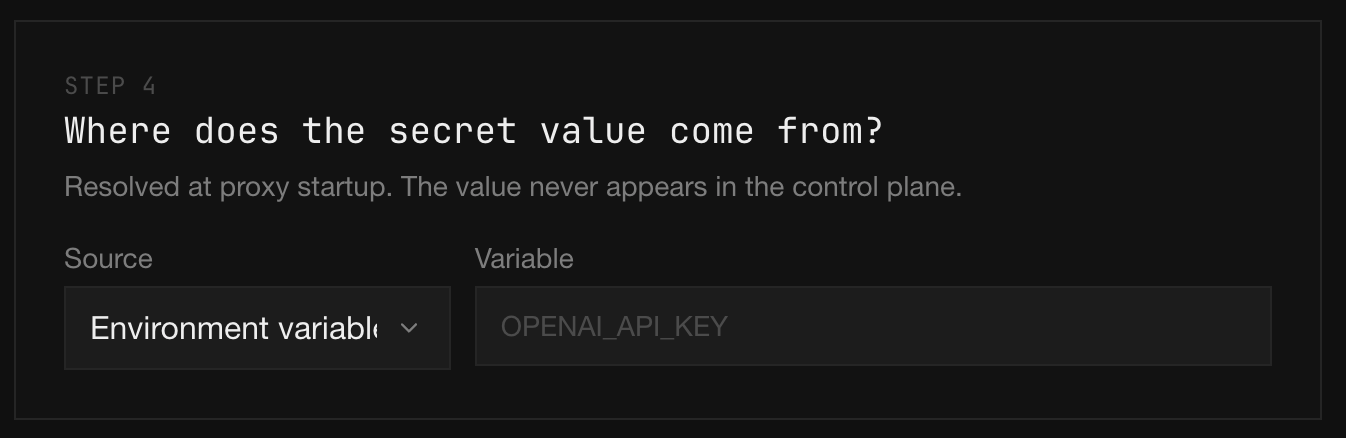
Select where the proxy should resolve the real value from at startup. The value never appears in the control plane: it is read locally on the proxy host.
iron-proxy supports several backends here, including environment variables, AWS Secrets Manager, AWS Systems Manager Parameter Store, and 1Password. See Static Secrets for the full set of source backends, the fields each one takes, TTL behavior, and credential-chain notes.
Match Tags
A policy is pinned to a subset of the fleet by its match tags. A proxy is subject to a policy when it carries every tag in the policy's match set. A proxy can be matched by multiple policies at once, and their allowed rules combine.
Because tags are assigned at enrollment, you can roll out a new policy without touching its match set: enroll hosts with the right tag and they inherit the policy automatically.
Priority
When two matching policies disagree about the same host and method, the policy with the lower priority number wins, so priority: 1 beats priority: 10. Most fleets don't need priority tuning: start with the default and adjust only if you see policies stepping on each other.
Per-User and Per-Tenant Policies
To scope a policy to a single user, customer, or tenant, encode the identity in tags. When you generate an enrollment token for a proxy that will run on behalf of a specific identity, include that identity in the token's tag set: tenant:acme-corp, user:alice@example.com, customer-id:c_8f3a2b. Every proxy registered with the token inherits those tags, and every audit event the proxy emits is indexed by them.
Put that identity tag in the policy's match set. A policy with match tags tenant:acme-corp only applies to proxies that carry the tenant:acme-corp tag, so you can give each tenant a different egress allowlist by writing one policy per tenant. The same pattern works for per-user sandboxes (user:alice@example.com) or per-customer workloads in a multi-tenant runtime.
Layered tagging gets you fleet-wide baselines plus per-identity overlays. A proxy can match multiple policies at once and the allowed rules combine, so a baseline policy with no match tags (applies to everyone) can grant common destinations like package registries, while per-tenant policies layer on the destinations only that tenant should reach. For compliance reporting, filter the audit trail by the same tenant or user tag to get a per-identity record of every request that proxy made.
Rolling Out Safely
Match tags make it cheap to canary a policy. Tag a single proxy with something like canary:true, point the new policy at canary:true, and watch the audit trail for denies before broadening the match set to include production tags. Audit search filtered by decision: denied shows exactly which requests the new policy would block.