
Enrollment
A new iron-proxy joins the control plane by running a one-time init command with an enrollment token. The proxy registers itself, picks up the tags configured on the token, pulls its initial configuration, and begins reporting audit events. After enrollment, the proxy stores a long-lived credential on disk and does not need the enrollment token again.
Enroll a Proxy
Create an Enrollment Token
In the control plane UI, open the Proxies tab and click Add Proxy.
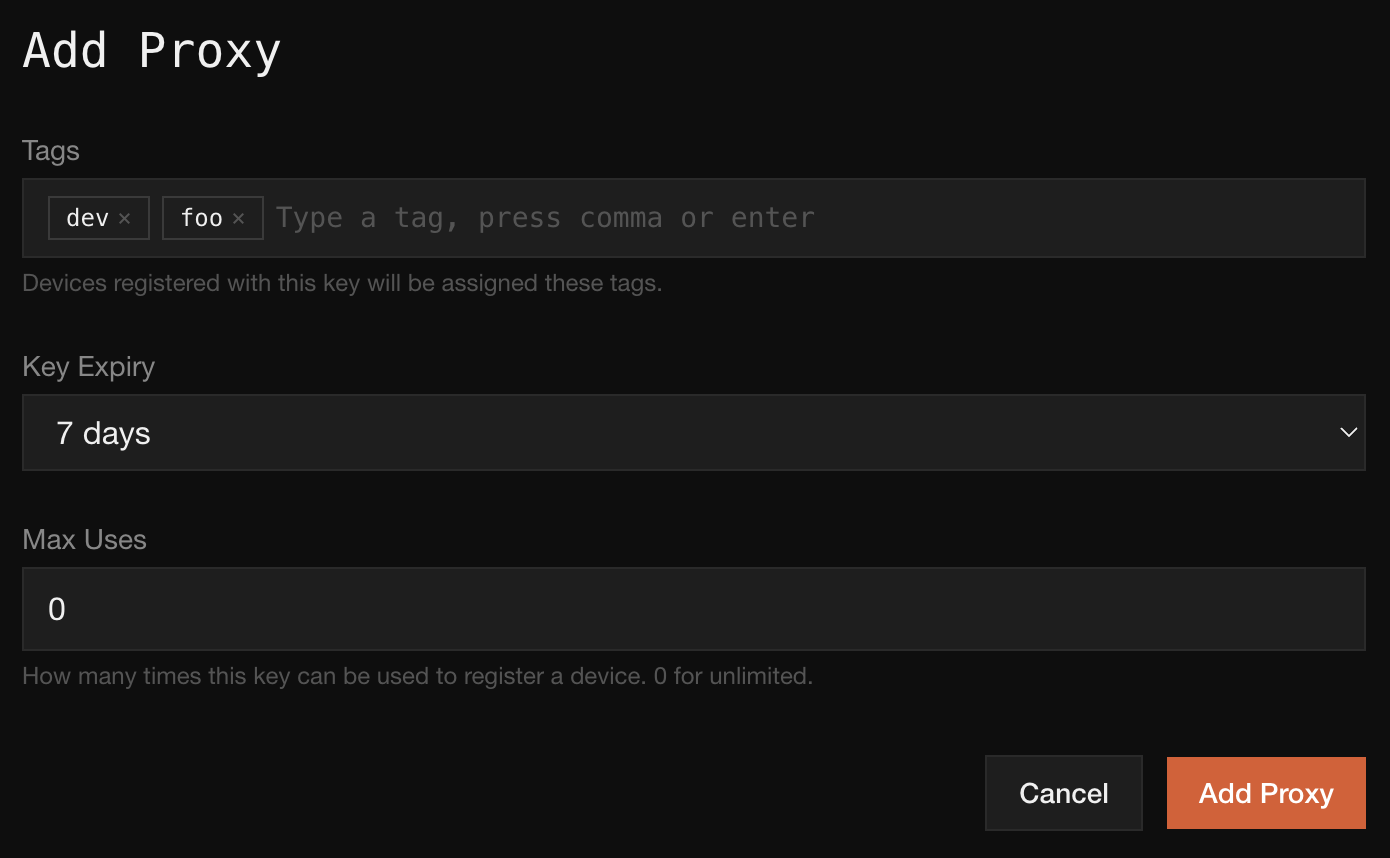
Fill in:
- Tags. Labels that will be assigned to any proxy registered with this token. Type a tag and press comma or enter to add it.
- Key Expiry. How long the token can be redeemed before it is no longer valid.
- Max Uses. How many proxies this token can register.
0means unlimited.
Click Add Proxy. The control plane displays the enrollment token once.

Copy the token immediately. It will not be shown again.
Run init on the Host
On the machine where iron-proxy will run, execute:
sudo ./iron-proxy init \
-enrollment-token 1a46ef8a2f34650f6b3fba5f20990dde0910060d9faab3dfba9ab168cf4f3f43The init subcommand exchanges the enrollment token for a long-lived proxy credential, registers the proxy with the control plane along with the tags configured on the token, pulls the initial policy, installs the iron-proxy systemd services, and starts the iron-proxy service. When it returns, the proxy is already running and connected to the control plane.
sudo is required because the state directory, iptables rules, and systemd units are all system-wide.
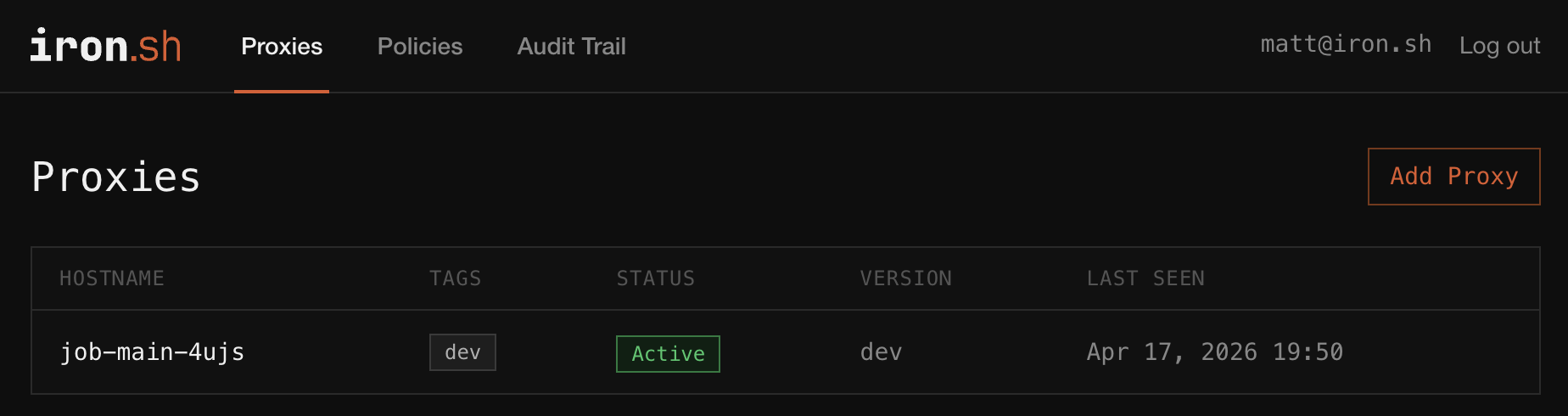
Verify It Registered
Back in the Proxies tab, the new proxy appears in the list with its tags and Active status.
Customizing the Generated Config
init writes a config file to the proxy's state directory. It is preconfigured to connect to the control plane and apply the policy you just pulled, and will work as-is for most deployments.
Anything in the standard iron-proxy configuration can be edited directly in the file: listen ports, upstream resolvers, log format, extra transforms. After editing, restart the service to pick up the changes:
sudo systemctl restart iron-proxyControl-plane-managed fields (policy, secret mappings, tags) are refreshed from the control plane on every reconnect, so local edits to those fields will be overwritten. Edit them in the control plane UI instead.
Tags
Each proxy carries a set of colon-separated labels that identify it and its workload. Tags can be bare strings like dev or namespaced like env:prod. Every audit event is indexed by the proxy's tags, so fleet-wide queries like "show every request from env:prod service:checkout" are cheap.
Tags are configured on the enrollment token in the control plane UI. Every proxy registered with the token inherits that tag set.
Changing a proxy's tags after enrollment is not yet exposed in the UI. For now, re-enroll the proxy with a fresh enrollment token to assign a new tag set.
Enrollment Tokens
Each enrollment is authorized by a short-lived credential that exists only for the handshake. Once the proxy has its long-lived credential, the token is discarded.
Max Uses controls how many proxies a single token can register:
- 1 is the tightest setting: the token can enroll exactly one proxy, then is dead. Prefer this for provisioning flows that hand out a token per host.
- A small integer fits short-lived autoscaling groups where a handful of proxies will come up from the same enrollment token.
- 0 (unlimited) fits base images or long-lived pools. Pair with a short
Key Expiryso the blast radius of a leaked token stays bounded.
Troubleshooting
Token expired. The token's Key Expiry window has passed. Generate a new enrollment token and retry.
Max uses exceeded. The enrollment token has already been redeemed Max Uses times. Generate a new token or increase Max Uses on the next one.